Status Indicator
The status indicator is placed at the bottom left side and bottom right side of the machine. It is used to indicate the status of the device.
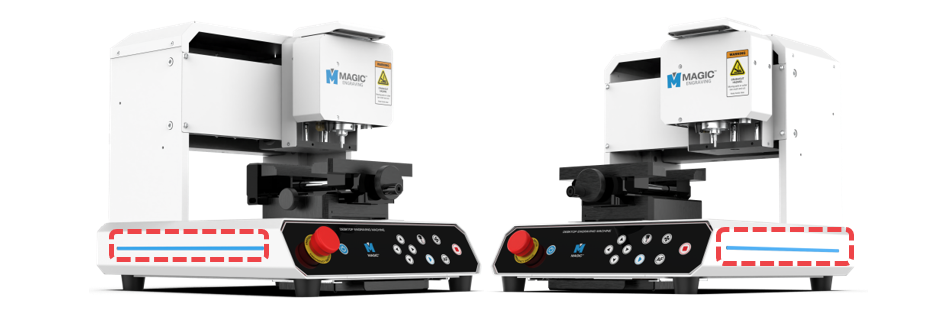
The machine displays flashing or blinking lights to show its current status. The lights displayed indicate the following status:
| Status | Blinking Interval |
| Waiting |  |
| Engraving | |
| Operating |  |
| Notification |  |
| Error |  |
To activate the functions below, turn off the MAGIC™-E3 machine first. Then, long-press the power button while pressing/holding the corresponding direction key (for more than 3 seconds). The function is then activated.
 ➕  |
Adjusts status LED brightness |
➕ |
Adjusts focus laser pointer brightness |
Adjust the brightness using the (Direction X) buttons.