Redt Help Center

8. Manual calibration

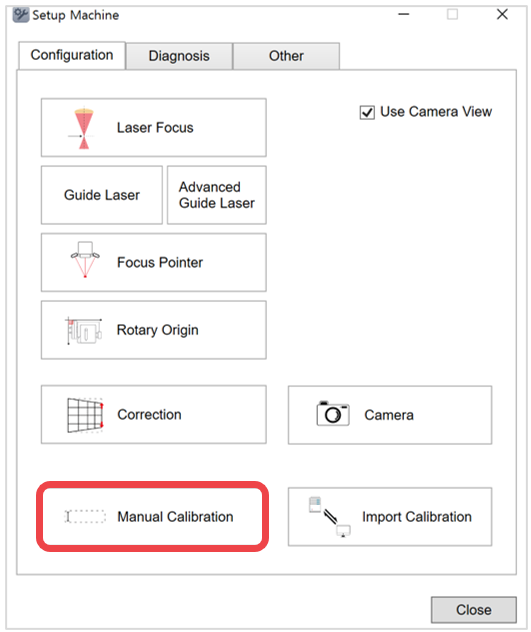
  1. Click Manual calibration.

l3main50.png

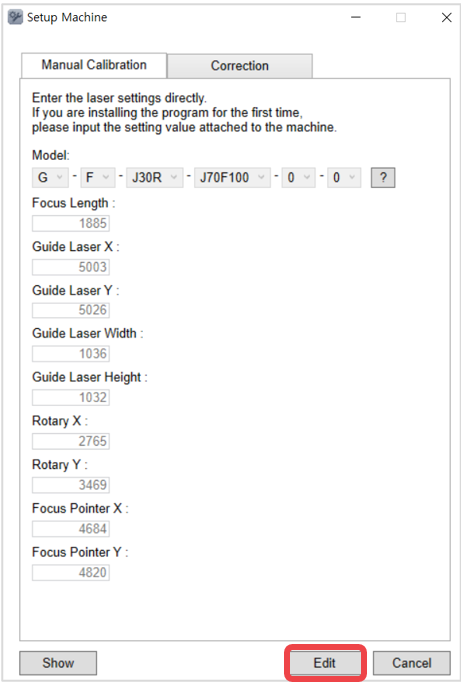
  1. Click Edit.

l3main51.png

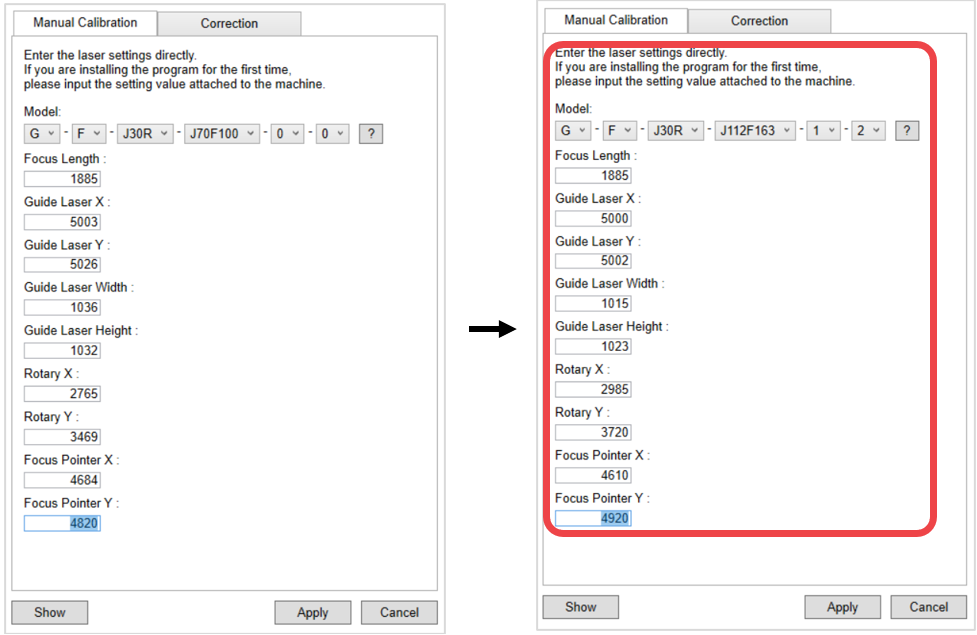
  1. Enter the setting values then click Apply.

l3main52.png

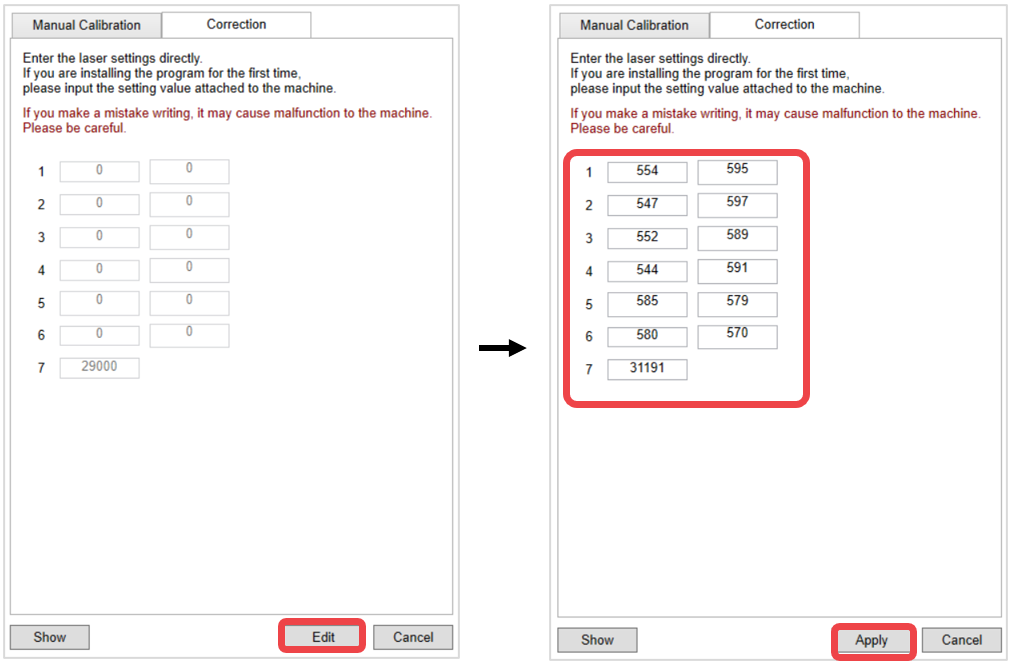
  1. Select Correction. Enter the setting values then click Apply.

l3main53.png

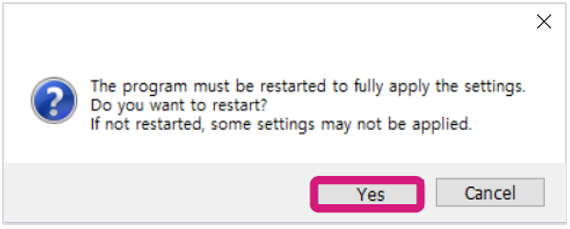
  1. Click Yes to restart the program.

l3main54.png


Go to the L3 Calibration➜